Introducing Neighbor Table

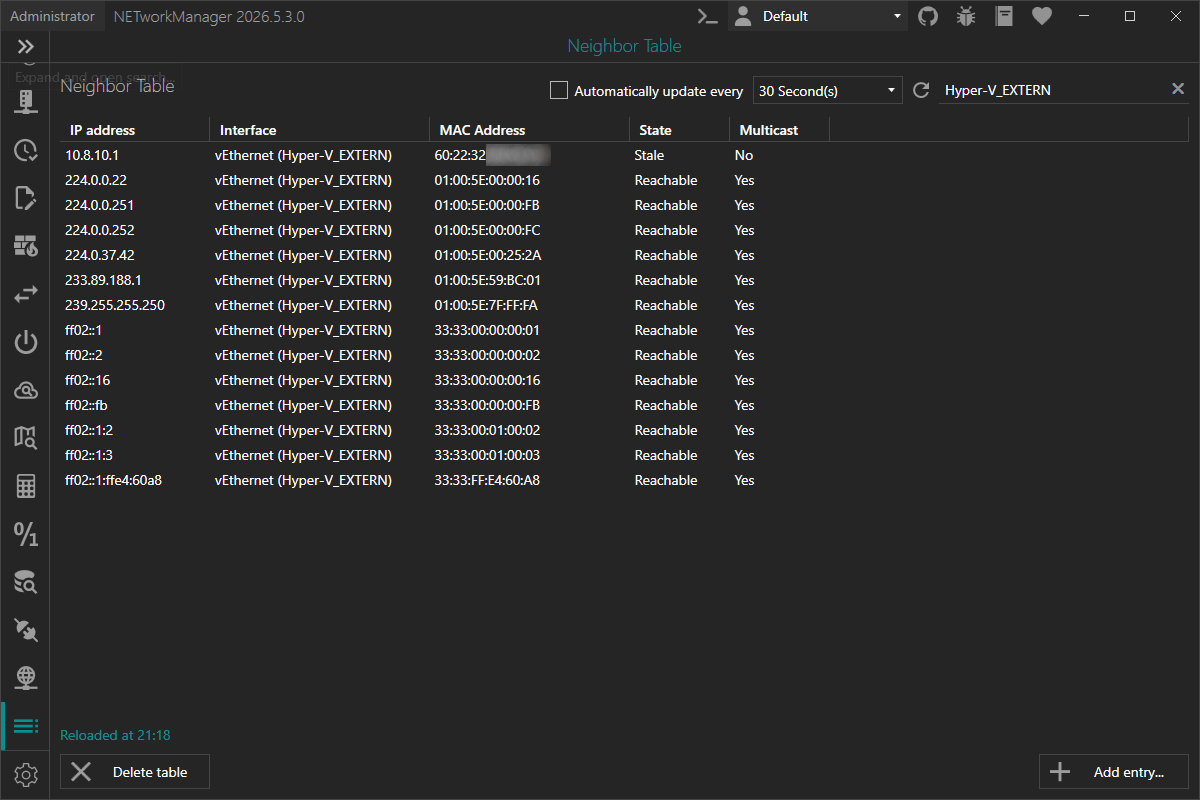
NETworkManager introduces the new Neighbor Table, replacing the ARP Table with a unified view that covers IP-to-MAC address mappings for both IPv4 (ARP) and IPv6 (NDP) in a single place.
Why the change?
The old ARP Table only surfaced IPv4 entries. Modern networks increasingly rely on IPv6, and the equivalent mechanism on IPv6 – the Neighbor Discovery Protocol (NDP) – was left out entirely.
Rather than adding a separate IPv6 view, NETworkManager now provides a single Neighbor Table that shows both IPv4 and IPv6 neighbors side by side, reflecting what the Windows networking stack actually maintains.
ARP vs. NDP — what's the difference?
IPv4 – ARP (Address Resolution Protocol) is a layer-2 protocol that maps IPv4 addresses to MAC addresses. When a device needs to send data to an IPv4 address, it first checks the ARP cache. If no entry is found, it broadcasts an ARP request; the target replies with its MAC address and the entry is cached.
IPv6 – NDP (Neighbor Discovery Protocol) fulfills the same purpose for IPv6. Instead of broadcasts, NDP uses ICMPv6 Neighbor Solicitation and Advertisement messages sent to a solicited-node multicast address — making it more efficient and multicast-friendly.
Both protocols are susceptible to spoofing/poisoning attacks that can manipulate cached mappings and lead to man-in-the-middle scenarios.
What the Neighbor Table shows
Each row in the table represents one cached neighbor entry and includes:
| Column | Description |
|---|---|
| IP Address | IPv4 or IPv6 address of the cached neighbor. |
| Interface | Human-readable name of the network interface (e.g. Ethernet, Wi-Fi). |
| MAC Address | Link-layer (MAC) address associated with the IP address. |
| State | Current reachability state (Reachable, Stale, Permanent, …). |
| Multicast | Indicates whether the IP address is a multicast address. |
You can refresh the table at any time with F5, and right-click any row to copy or export individual values, or to delete the selected entry.
Adding static entries
You can also add permanent static neighbor entries — useful for pinning a critical device's MAC address so that ARP/NDP spoofing cannot redirect its traffic.
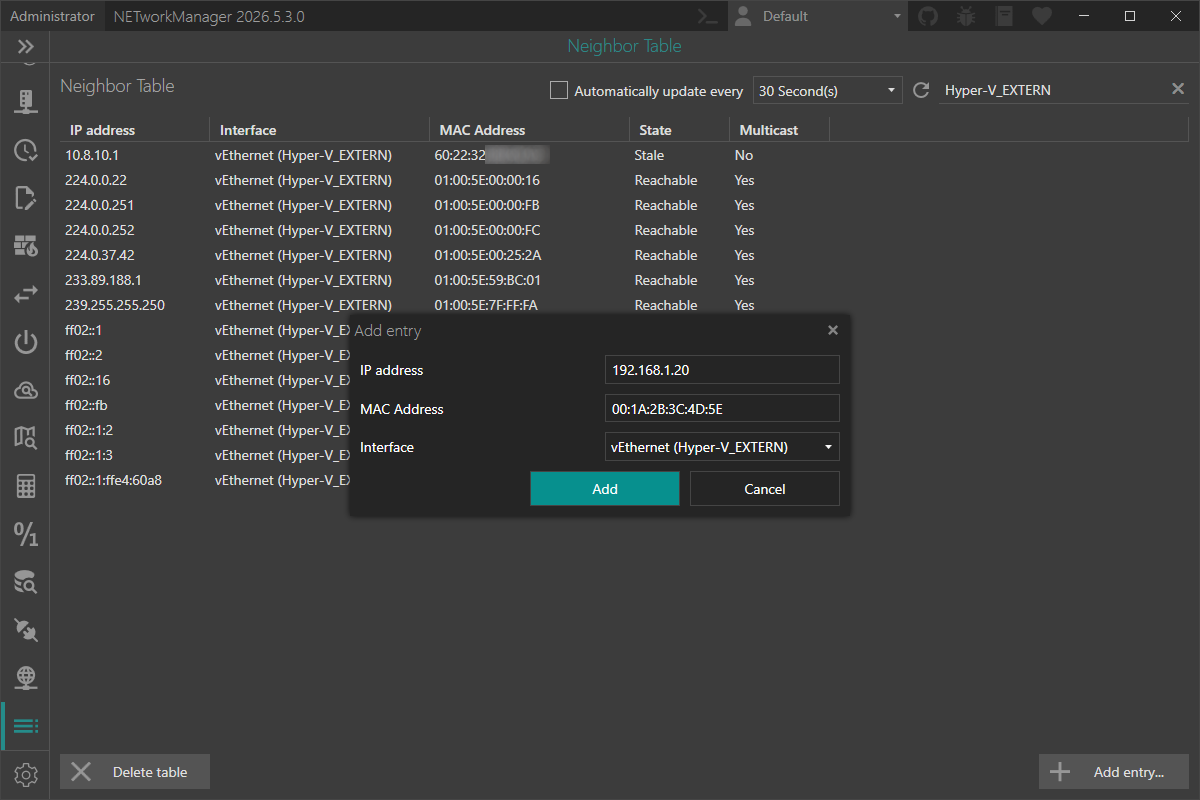
Click Add entry... below the table, supply an IPv4 or IPv6 address, the target MAC address, and the interface — NETworkManager takes care of the rest using New-NetNeighbor under the hood.
Adding and deleting neighbor entries requires administrator privileges. If NETworkManager is not running as administrator, the view is in read-only mode. Use the Restart as administrator button to relaunch with elevated rights.
Try it now
You can test this feature in the latest pre-release of NETworkManager.
More details are available in the official documentation.
If you find any issues or have suggestions, please open an issue on GitHub.