IP Geolocation
With IP Geolocation you can retrieve geolocation information for a fully qualified domain name (FQDN) or a public IP address.
info
IP geolocation data is provided by ip-api.com and the API endpoint http://ip-api.com/json/<host> is queried when the information is requested.
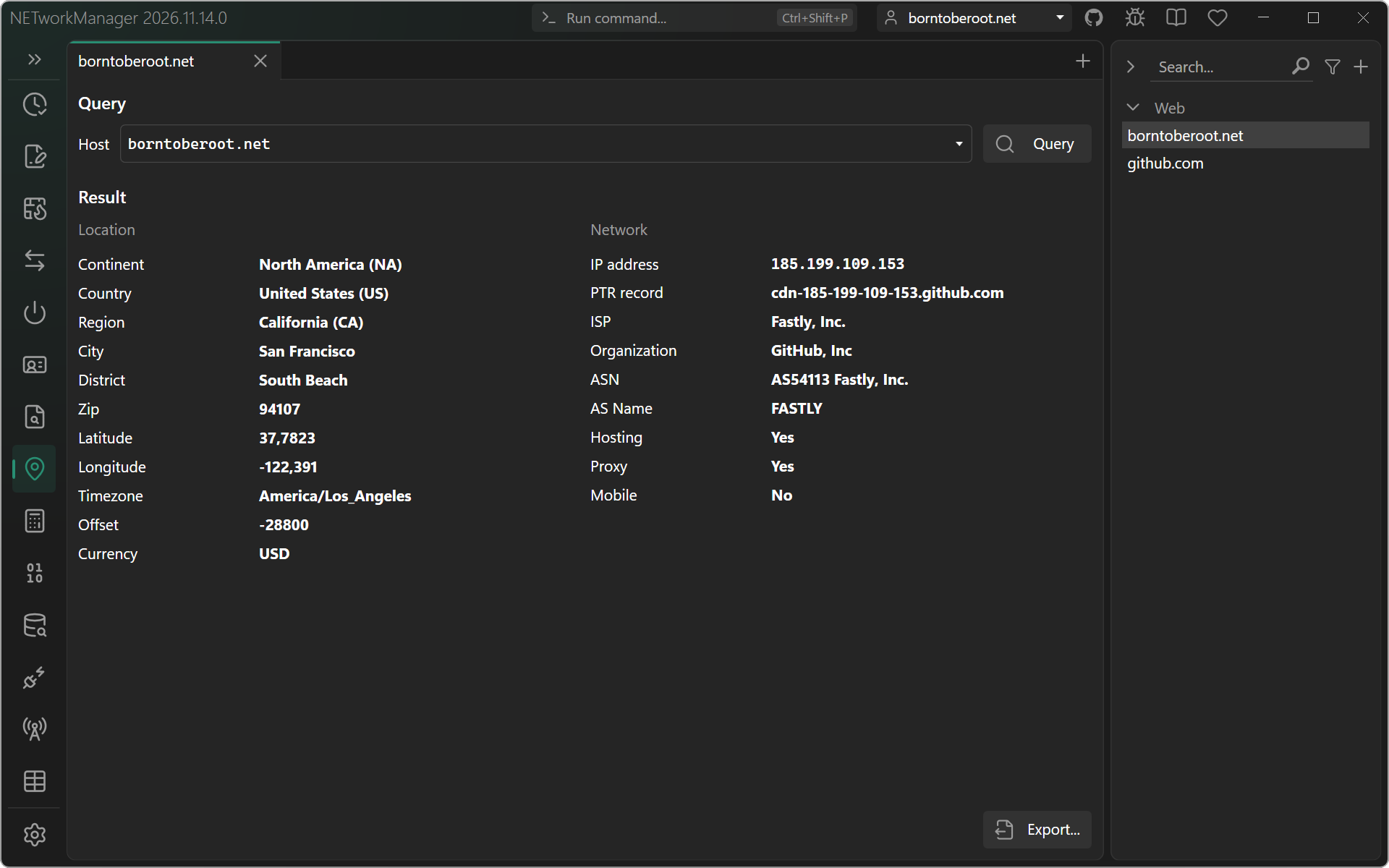
Example inputs
| Input | Description |
|---|---|
borntoberoot.net | Fully qualified domain name (FQDN) |
1.1.1.1 | Public IP address |
Toolbar
| Button | Description |
|---|---|
| Export... | Exports the information to a CSV, XML, or JSON file |
Context menu
| Action | Description |
|---|---|
| Copy | Copies the selected information to the clipboard |
Run command
Open the tool with ipgeolocation or geo. Add a public IP address or a host (validated like the input):
geo 1.1.1.1
geo borntoberoot.net
geo 2606:4700:4700::1111
geo @borntoberoot.net
Every command opens a new tab, a query running in another tab continues. With Shift+Enter (only fill in), the host is filled in without starting the query. A profile (@profile) queries its host.
Profile
Inherit host from general
Inherit the host from the general settings.
Type: Boolean
Default: Enabled
note
Host
Host (FQDN or public IP address) to query for IP geolocation information.
Type: String
Default: Empty
Example:
borntoberoot.net1.1.1.1
Troubleshooting and limits
- The free API endpoint of
ip-api.comis limited to 45 requests per minute (for all tools and computers with the same public IP address), supports only thehttpprotocol and is available for non-commercial use only. Shortly before the limit, the queries stop and a message shows when to try again. - Private and reserved IP addresses (e.g.
10.0.0.1,192.168.1.1) have no geolocation. - A hostname is resolved by
ip-api.com, not locally: names that only exist in the local network can't be queried. - The location of an IP address is an estimate of the provider (often the location of the internet provider or the data center, not of the device), anycast addresses (e.g.
1.1.1.1) show one location only. - The firewall or proxy must allow outgoing HTTP connections (TCP port
80) toip-api.com.