7 posts tagged with "new feature"

View All Tags

Run Command, Visual Traceroute, a Smarter IP Scanner, RDAP and a Fresh Look

· 7 min read

BornToBeRoot
Maintainer of NETworkManager

The new release of NETworkManager (version 2026.11.15.0) is one of the biggest so far: a redesigned interface with new themes and accent colors, an IP Scanner that finds and identifies far more devices, a run command to start any tool from the keyboard, a world map for Traceroute, and the new RDAP tool. On top of that, it contains more than 150 improvements and more than 150 bug fixes across all tools.
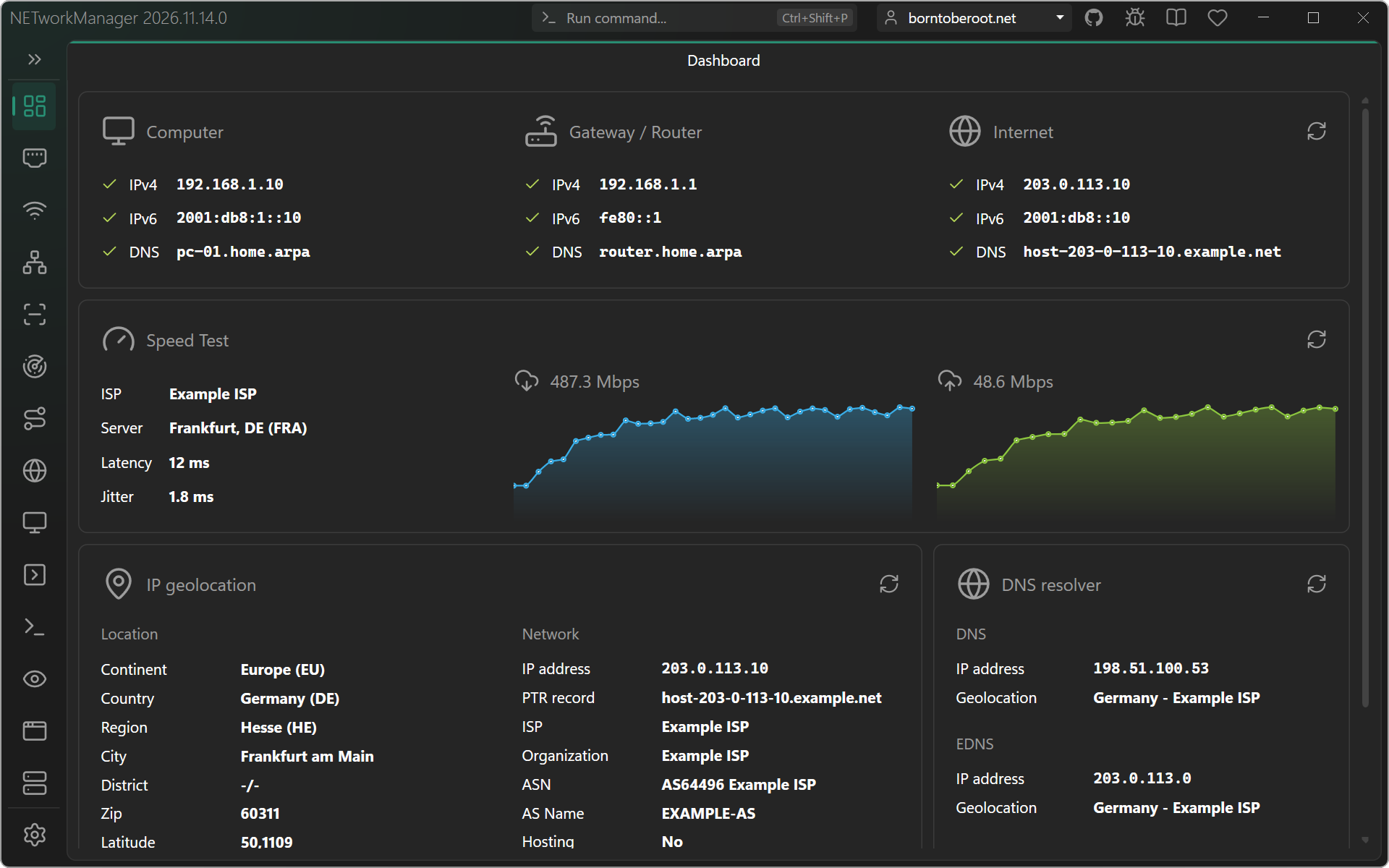
Dashboard in the new design

Introducing RDAP

· 6 min read
BornToBeRoot
Maintainer of NETworkManager

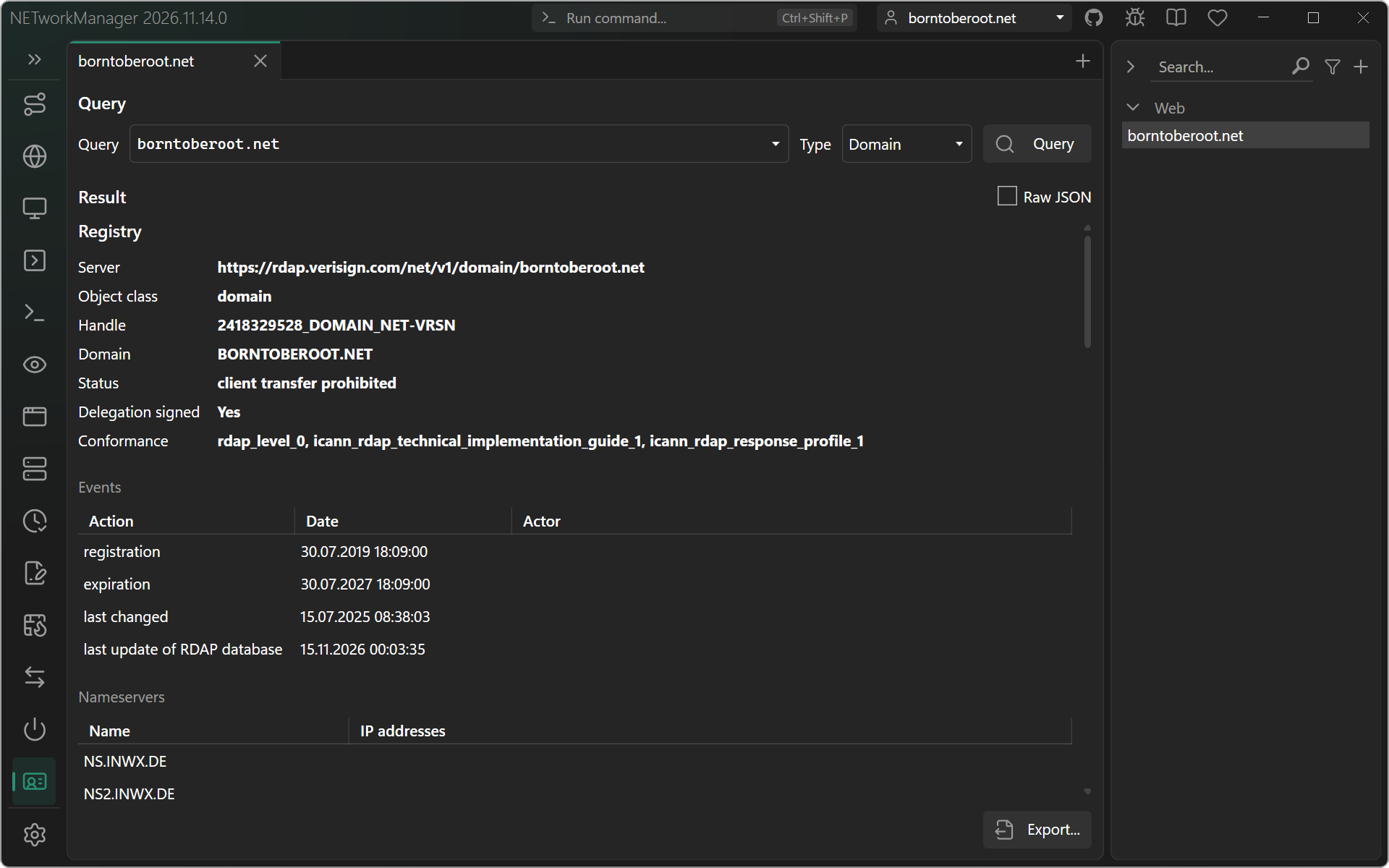
NETworkManager introduces a new tool, RDAP. With the Registration Data Access Protocol you can look up who a domain, an IP address, an AS number or an organization is registered to - with structured results, over HTTPS, and without having to know which server to ask.

RDAP

Introducing Firewall

· 3 min read
BornToBeRoot
Maintainer of NETworkManager

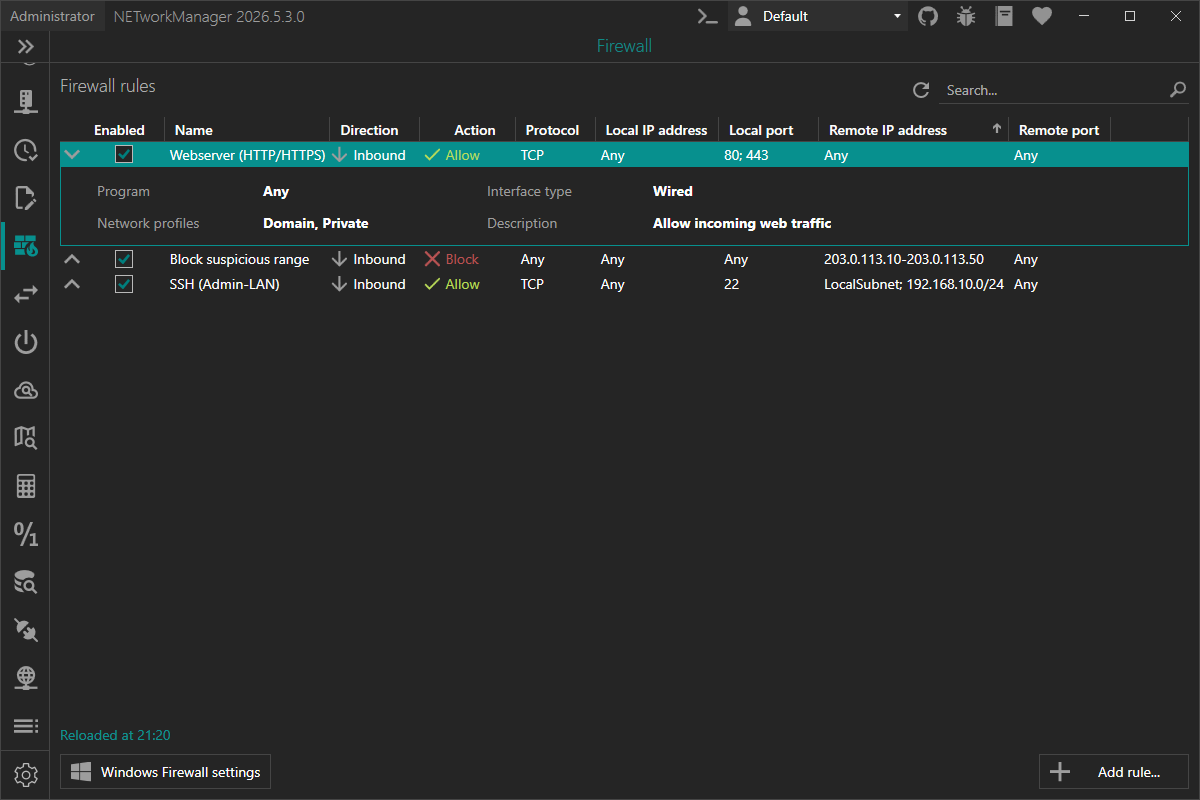
NETworkManager introduces a new feature, the Firewall. You can now manage Windows Firewall rules created by NETworkManager directly from within the app — no more jumping between MMC snap-ins for day-to-day tasks.

This is especially useful if you frequently spin up local services (lab environments, dev boxes, game servers, small internal tools) and need a quick and repeatable way to open or block ports, restrict traffic to specific IP ranges, or scope rules to profiles like Domain, Private, or Public.

Firewall

Introducing Hosts File Editor

· 2 min read
BornToBeRoot
Maintainer of NETworkManager

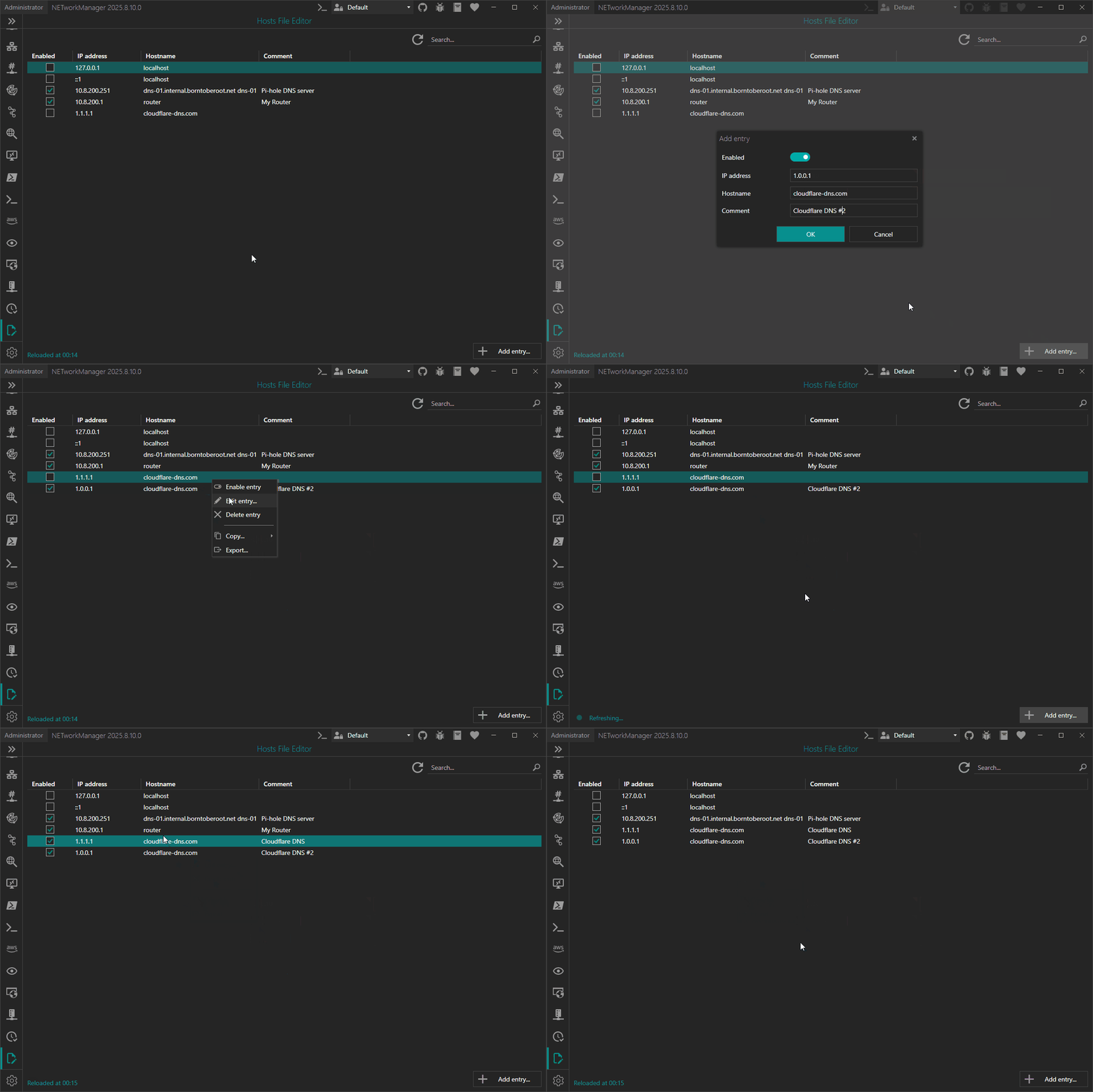
NETworkManager 2025.8.10.0 introduced a new feature, the Hosts File Editor. You can now easily manage and edit your system's hosts file in a user-friendly interface.

As a sysadmin or developer, you often need to modify the hosts file in order to override DNS settings for specific domains, redirect traffic, or test websites locally.

Hosts File Editor